
For a restaurant owner, a hood cleaning before and after report answers one practical question: did the crew actually remove grease from the parts that create the most risk? A page that merely says “hood and ducts cleaned” is just words. Strong photo documentation pairs date-stamped images with notes that explain what changed, and it lists issues that need attention after the crew leaves. If you run a kitchen in British Columbia and you are comparing exhaust cleaning providers, this article clarifies what a useful report contains, which components should appear in photos, how deficiencies are handled, and how to keep the paperwork useful for the next safety inspection.
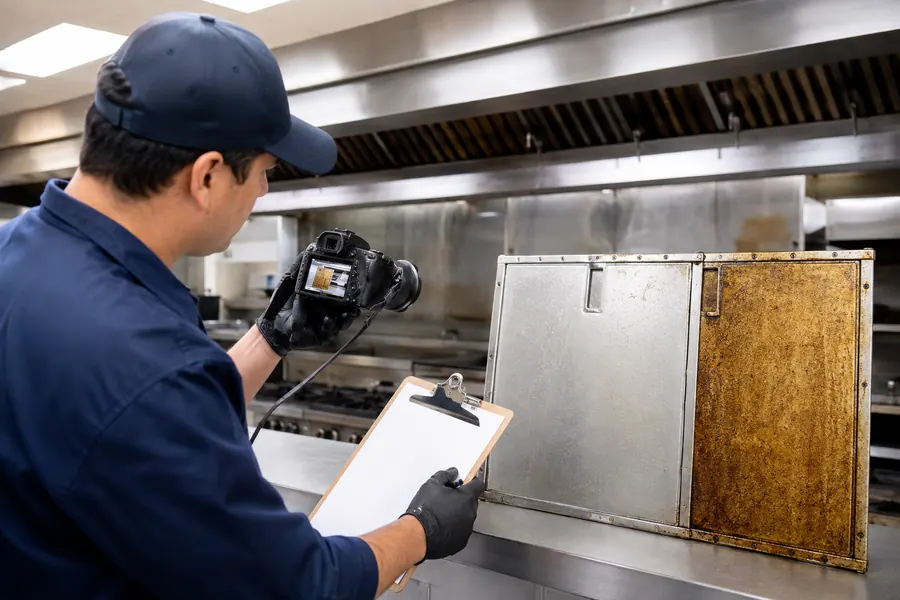
What a Hood Cleaning Before and After Report Should Show
Useful documentation is evidence, not decoration. When a report includes images of the exhaust system before and after the visit, you can see the actual grease condition instead of guessing from an invoice. Inspection-ready reports usually identify the facility, list the service date, and place before-and-after images side by side so the reader can compare the same area. Better packages also separate completed work from concerns, so a normal cleaning does not hide a developing problem.
Required Evidence in a Quality Cleaning Report
Look for a structure similar to this in any professional package:
Date-stamped before-and-after photos for every section that was inspected or cleaned
Facility and service details that identify your kitchen, the equipment involved, and the visit date
Brief notes that explain what each image shows and why the condition matters
A separate section for deficiencies found during the visit
Technician identification and signature space to close out the record
These basics do not have to be elaborate. They have to be consistent. When every visit uses the same format, you can compare one service date against the next and spot changes early.
Useful Photo Angles and the Components That Appear in Them
A valuable photo set follows the path grease travels, not just the shiny exterior of the hood. Look for images of the hood canopy, the plenum above it, the filter rails, the duct drops and duct runs, and any access panels opened for the job. Filters deserve close attention because their condition affects airflow and fire risk. Many crews also record fan and motor checks in the notes because a motor that struggles under grease load signals future service needs.
You do not need to be a technician to verify the photos. Match the components from one visit to the next and confirm that the same areas appear in both the before and after shots.
How Deficiencies Are Recorded in Photo Documentation
Photographs show conditions; they do not explain them. A thorough report captures heavy grease buildup before cleaning, filter condition, and anything unusual noted in the fan or motor area, then uses words to tell you what it means. For example, a duct section with no access panel is not necessarily a cleaning failure, but it should appear in the report because the crew cannot visually confirm that portion of the system. Clear deficiency notes protect you later. They show that the contractor looked for real hazards and told you about them instead of leaving you to discover the problem on your own.
The Cleaning Report Doubles as Your Service Record
The same document that proves a job was done also becomes your service record. Keep reports and photos filed by date so you can answer questions about maintenance history without hunting through old emails. If the same deficiency appears two visits in a row, that is your sign to book a repair rather than assume the next cleaning will fix it. Signed documents confirm which technician performed the work. For restaurants that coordinate multiple locations, a shared folder of dated reports makes consistent care much easier to manage.
A Finished Package: Redacted Report and Photo Set
Seeing a complete package makes it easier to judge your current contractor. A strong PDF combines the cleaning report with matching photos, keeps deficiency notes near the relevant images, and leaves a signature block for the technician who handled the job. The example below is intentionally redacted to protect another facility’s details, yet it shows the structure you should expect from a professional visit.
Cleaning, Inspection, and Repair: Where the Report Stops
A cleaning visit removes accumulated grease, while inspection notes identify conditions worth attention. Those two activities often happen during the same appointment, but they are not the same thing. Mechanical repair or replacement, such as fixing a damper or swapping a damaged filter, belongs to qualified maintenance personnel. Regulatory expectations can also differ between municipalities and provinces. If any documented issue raises a fire safety concern, verify the requirement with the appropriate local authority before your next service date.
Choose a Provider That Turns Photos Into a Usable Record
Choose a provider that treats documentation as part of the job. A commercial kitchen hood cleaning specialist in the Lower Mainland, such as Larsa Vent Cleaning, focuses on grease removal throughout the exhaust pathway rather than general HVAC work. Before booking, ask how photos are collected, how quickly the cleaning report arrives, and whether the finished file can be stored for future reference. You can review the scope of a commercial kitchen hood cleaning visit on the service page and compare that approach with your current vendor.
Frequently Asked Questions
What should I do if the report lists a deficiency?
If a report flags heavy grease, damaged filters, or fan issues, treat it as a maintenance priority rather than a sales problem. The deficiency note tells you what to address before the next cleaning appointment. For quick decisions, share the photos and the note with the technician who did the work. They can tell you whether a repair needs a specialist or whether a future cleaning can handle it.
How long should I keep cleaning reports and photos?
Keep every cleaning report and its photo set for as long as the system is in service, and keep the most recent records easy to find. A dated service record helps if a safety inspector asks about your maintenance history. When documents are digital, store them in a folder named by year so older reports remain accessible for comparison and reference.
What if my cleaning company only provides an invoice?
An invoice confirms payment, but it does not confirm that grease was removed from the hood, ducts, and fan. Ask whether the company provides before-and-after photos and a written cleaning report as standard practice. If not, request those items in writing before the next scheduled visit. Documentation is a reasonable expectation for commercial exhaust work.
Ask for documented service. You do not have to be a ventilation expert to tell whether a report is real. Check that the photos are date-stamped, the notes match the images, and the deficiencies are listed instead of smoothed over. When those pieces are in place, you have a cleaner kitchen, clearer accountability, and a record you can rely on at the next inspection.
For more about the company serving Vancouver and Metro Vancouver, visit Larsa Vent Cleaning.